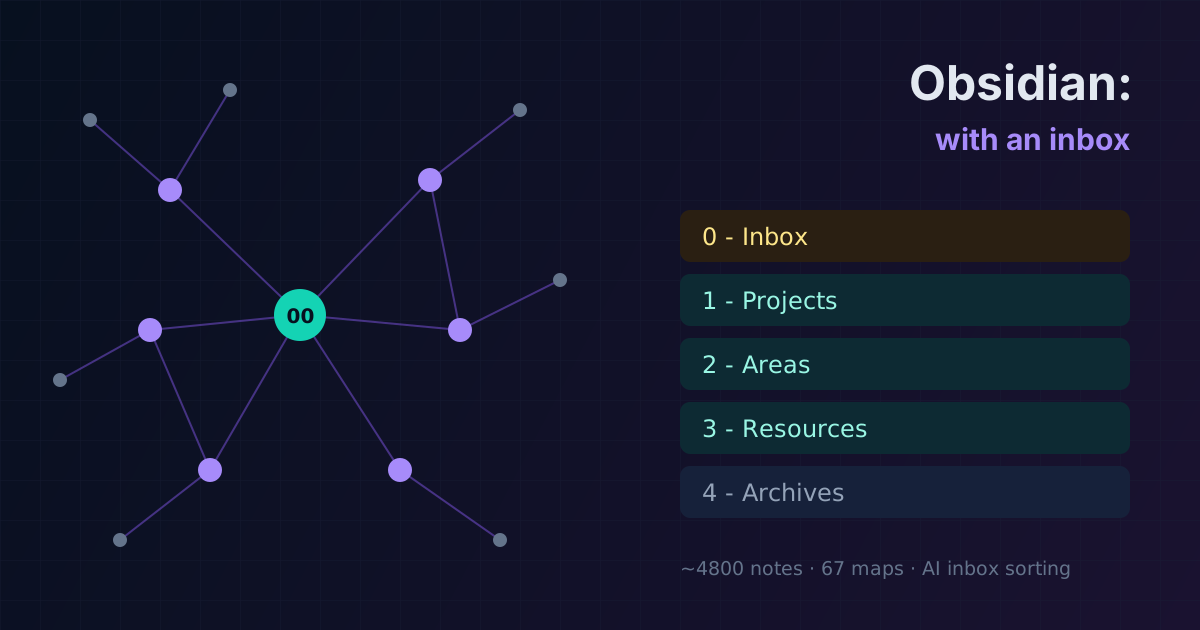
How I organized my notes in Obsidian: PARA with an inbox
I never kept a blog — I kept Obsidian. Almost five thousand notes over several years: from my first Linux cheat sheets to SOC work and my own bug bounty platform. Here's how the vault is organized so it doesn't drown me.
Translated from the Russian original. Русская версия
Almost every article on this blog grew out of my notes. I joined a hosting company as a first-line sysadmin and wrote everything down from day one: commands, incident write-ups, ticket solutions, course notes. Later came security, Active Directory, SIEM, bug bounty. Today the vault holds about 4,800 notes — and finding the right one takes seconds. I spent months on the structure, reworking it several times.
Why PARA
Tiago Forte’s PARA method splits everything into four groups by level of activity rather than by topic:
- Projects — things with a goal and a deadline: an audit, a rollout, building a tool;
- Areas — ongoing responsibilities without a deadline: work, learning, health;
- Resources — a reference library by topic: anything that might come in handy;
- Archives — finished and no longer relevant.
The key idea is that a note “moves” as it lives: material from resources becomes part of a project, and a finished project goes to the archive. The structure reflects what you’re doing right now instead of trying to build a perfect encyclopedia.
My version: an inbox buffer + PARA
I named the folders in Russian and added a zero level — the Inbox. That turned out to be the most important change.
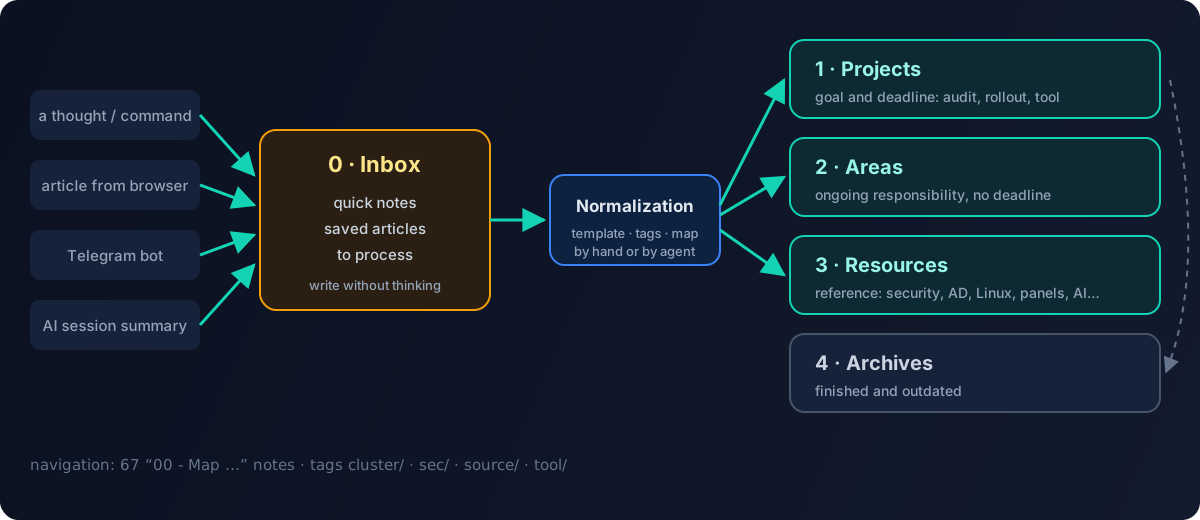
0 - Inbox/
    0 - Quick notes/          ← a thought, a command, a link on the go
    1 - Saved articles/       ← clippings from the browser and Telegram
    3 - To process/           ← waiting to be sorted and normalized
1 - Projects/
2 - Areas/
3 - Resources/
4 - Archives/
Templates/
Why a buffer: when you write something down in a hurry, deciding “where does this go” is unnecessary friction. So everything new lands in the inbox, and sorting is a separate process every few days. Without a buffer, after a month half the notes are not where anyone would look for them.
Resources is the biggest part. Inside, it’s split into large topics: system administration and DevOps, security, Active Directory, hosting panels, networking, programming, AI. Each topic has its own subfolders, for example “Ollama (local LLM)” or “Plesk” with sections on databases, mail and backups.
Section maps instead of a hierarchy
Folders are good for storage but bad for navigation: a note can belong to several topics at once. So every large section has a map — a 00 - Map … note (MOC, Map of Content). The leading zero keeps it at the top of the list.
A map isn’t an automatic table of contents but meaningful navigation: where to start, which notes are key, what connects to what. I now have 67 maps. When a section grows, a map appears first, and subfolders come later.
Tags: clusters, not a cloud
My tags aren’t “#interesting” but a prefixed hierarchy where each branch has its own role:
| Tag | Meaning | Example |
|---|---|---|
cluster/... | a topic cluster linking notes across folders | cluster/security, cluster/windows-ad, cluster/hosting-panel |
sec/... | security markup: material type, technique, tool | attacks, defense, investigations |
source/... | where the material came from | own experience, a course, an article, a clipping |
tool/... | a specific tool | scanners, utilities |
The source tag turned out to be surprisingly useful: you immediately see what is my own experience and what is a summary of someone else’s material. That helped with the blog too — only my own experience went into the articles, and I retold summaries of other people’s tutorials in my own words.
The Dataview plugin works with clusters: a section map can collect “all notes in the cluster/hosting-panel cluster modified in the last month” on its own, so the list is always current.
Templates
With Templater I have templates for recurring note types:
- daily note — a log of the day;
- project — a kanban with tasks;
- bug bounty — a structure for a target: scope, recon, findings, report;
- AI session summary — what was done, what was decided, what’s next;
- Telegram note — for messages forwarded to a bot.
A template doesn’t save typing time so much as the decision about structure: notes of the same type look the same, so they’re easy to compare and process automatically.
Plugins I actually use
| Plugin | Why |
|---|---|
| Dataview | note queries: live lists in maps |
| Templater | templates with logic |
| Obsidian Git | the vault in a private git repository: history and backup |
| Telegram Sync | forward a message to the bot — it’s already in the inbox |
| Iconize | folder icons so the eye finds a section faster |
| Table Editor | proper table editing |
| Pandoc | export to docx/pdf for reports |
| Terminal | a terminal right inside Obsidian |
The rule: a plugin stays only if I use it every week.
The AI layer: a vault that sorts itself
The last stage is connecting an AI agent directly to the vault. The vault root holds a folder with the agent’s configuration:
- vault rules — how folders, tags and maps work and what goes where;
- memory — a short file with key facts (with a hard size limit so it doesn’t bloat), plus the current focus;
- skills — note normalization, working with the vault, memory sync, and domain skills: bug bounty, server audits, Active Directory, Wazuh;
- commands — session start, session summary, switching focus, inbox normalization.
The most useful command is inbox normalization. The agent takes a raw note from the buffer, applies the template, adds cluster/source tags, moves it to the right section and adds a link to the map. What used to be a boring weekly chore is now one command. More on this setup in A second brain with AI.
The same vault is connected to my platform Qyran: AI agents use the playbook library and write reports there.
What I’ve learned over the years
- Structure should reduce the friction of writing. If you have to think “where does this go”, the note won’t get written. Hence the inbox.
- Folders are for storage, maps and tags are for navigation.
- Mark the source. In a year you won’t remember whether it was your experience or a retelling of someone’s article.
- Sorting is a separate regular process that can be handed to an agent.
- Reworking is fine. My structure changed several times and got simpler each time.
In short: Obsidian isn’t about a pretty graph of links. It’s about finding, three years later, the command that once fixed production at two in the morning.